

UKUI 4.24: "Visible" New Changes

The previous article covered the changes in UKUI 4.24 regarding file management and touch interaction (openKylin 3.0 public beta is here, first look at these two changes in UKUI 4.24 (Part 1)). This article continues with the remaining two areas:VisualsandSystem foundation。
If file management and gestures are changes users can feel every day, then half of this article's content is "visible"—wallpapers and fonts; and half is "invisible"—interface standardization and input method framework. But the latter is precisely the most far-reaching part of UKUI 4.24, including the AI assistant's ability to directly operate the system, which comes from this.
Visuals: More familiar, and more modern
1. Dynamic wallpaper
UKUI 4.24 implements a unified dynamic wallpaper for both the lock screen and desktop—the lock screen features a continuously easing animation, which smoothly transitions to the desktop after login. One wallpaper runs through both the lock screen and desktop scenarios, making the visuals much more cohesive, and the system's refinement largely comes from these details.
2. Font rendering optimization
This time, the font rendering pipeline has been deeply tuned. Based on open-source fonts such as Noto Sans CJK SC and KylinSans, improvements have been made to Hinting (glyph hinting) and subpixel rendering performance.
Actual results: Whether at 1080P or 4K, font edges are clearer and sharper; under multi-DPI scaling scenarios, text appearance consistency has noticeably improved. Users who felt text looked "blurry" after using high-resolution display scaling should notice a direct difference this time.
System foundation: The most important "invisible project" in this update
1. ukui-framework interface unification
This is one of the least visible but most significant efforts in UKUI 4.24: unifying and encapsulating the interfaces of seven core components such as ukui-panel and ukui-power-manager, exposed externally through the unified encapsulation layer of ukui-framework.
The benefits are simple to put: interfaces become observable, testable, and maintainable. The barrier for developer integration is lowered, and futurecontrol managementand AI automationnow have a foundation to build on. The new KylinBot capabilities described below rely on this layer.
2. KylinBot skill expansion
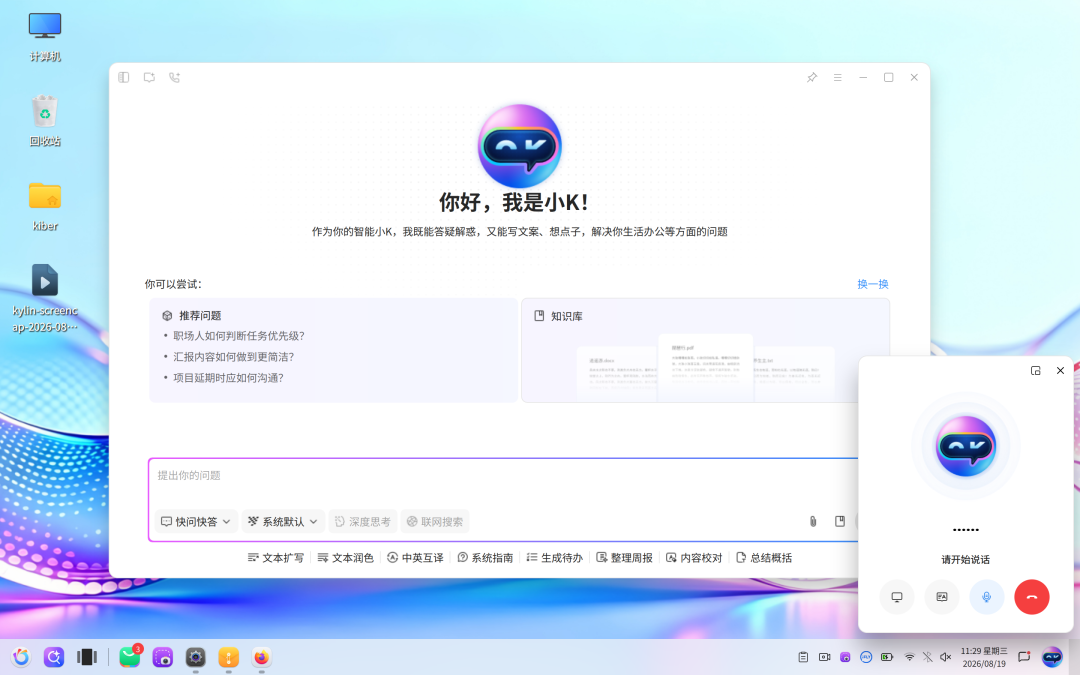
With standardized interfaces, KylinBot now has "hands and feet." Users can use natural language to have the AI perform actual operations such as adjusting volume, switching themes, and managing power modes—it is no longer just a "chat AI," but an "AI that can take action."
Additionally, newglobal voice inputhas been added: you can issue commands without clicking into an input field, and operate the system just by speaking, achieving true multimodal interaction.
3. Input method ecosystem improvement
Full adaptation and refactoring of Wangma Wubi (versions 65/86/98) and Jidian Wubi under the Fcitx5 framework has been completed, with classic features such as Wubi-Pinyin mixed input preserved. This meets the efficient input needs of government and enterprise users.
4. Accessibility and voice
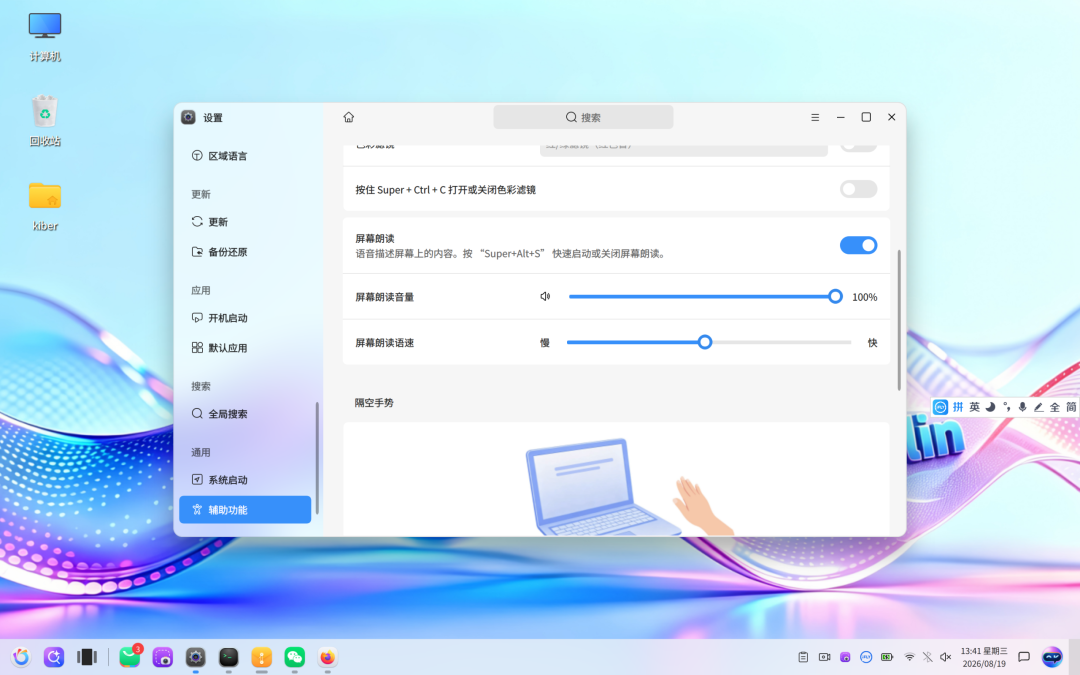
The system's text-to-speech (TTS) capability has been improved, supporting fine-grained adjustment of speech rate, pitch, and volume, with dedicated optimization for Chinese pronunciation. The user experience for visually impaired users has been directly improved.
Looking at both articles together, UKUI 4.24 can be roughly divided into two types of changes: the visible—dual preview, air gestures, dynamic wallpaper, font rendering—addressing daily efficiency and visual appeal; and the invisible—interface standardization, input method framework refactoring—addressing long-term maintainability and the foundation for AI capabilities.
UKUI 4.24 is not a simple update; it is a comprehensive evolution coveringinteraction design, visual art, underlying architecture, and artificial intelligence. It not only makes the openKylin operating system more usable and more beautiful, but also paves the way for future intelligent office scenarios through interface standardization and the injection of AI capabilities.
For developers, standardized interfaces mean lower maintenance costs; for users, smoother touch controls, more efficient file management, and a more familiar input experience will directly translate into productivity gains. UKUI 4.24 is worth looking forward to for every user.
Everyone is welcome to participate in the openKylin 3.0 Beta1 public betaopenKylin 3.0 public beta is here, and experience UKUI 4.24. Go tohttps://www.openkylin.top/downloads/ or click "Read Original" to download the image and install the system.